The problem
AI is brilliant at writing and planning, but it lives isolated from the software where things are actually made. Copy-pasting between the chat and your game engine breaks the flow.

ProductsMCPGo
MCPGo 4.0.1
Connect your AI with Godot, Blender, Unity and Roblox.
You get 7 free days in the same MCPGo application. During the trial you use MCPGo Lite; afterward MCPGo Pro is required. If you already bought MCPGo, your account is recognized as Pro.
Why MCPGo
AI is brilliant at writing and planning, but it lives isolated from the software where things are actually made. Copy-pasting between the chat and your game engine breaks the flow.
MCPGo gives AI hands inside your programs: it creates scenes, writes scripts and runs the game — directly in Godot, Blender, Unity or Roblox Studio, on your machine.
Gamedev first, where AI still lacks first-class creation tools. Local, private and under your control.
How it works
From the first click to your AI controlling the tool — real product screenshots.
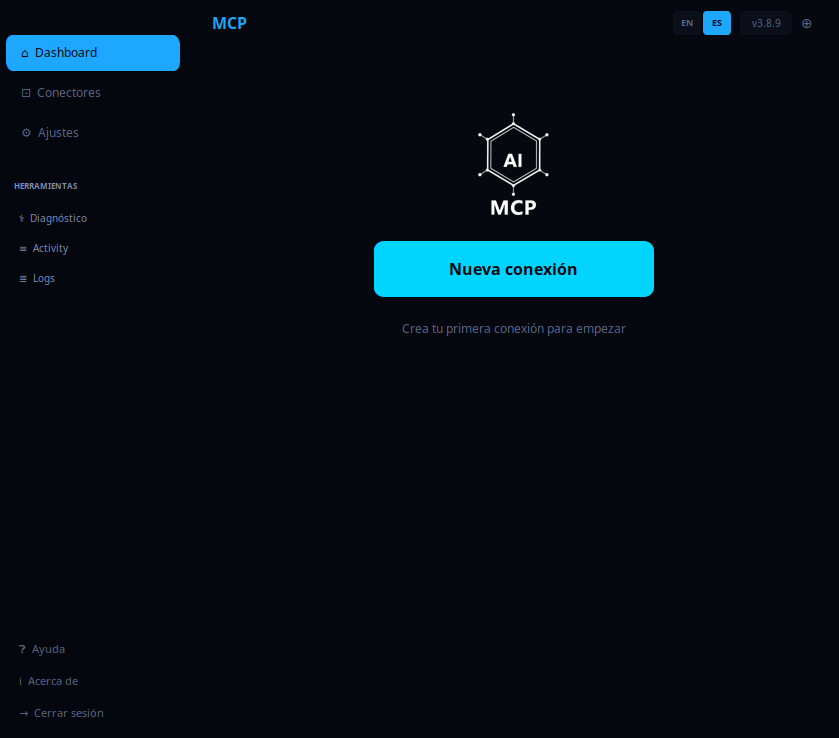
Open MCPGo and click "New connection". Nothing to configure by hand: the panel launches a wizard that guides you.
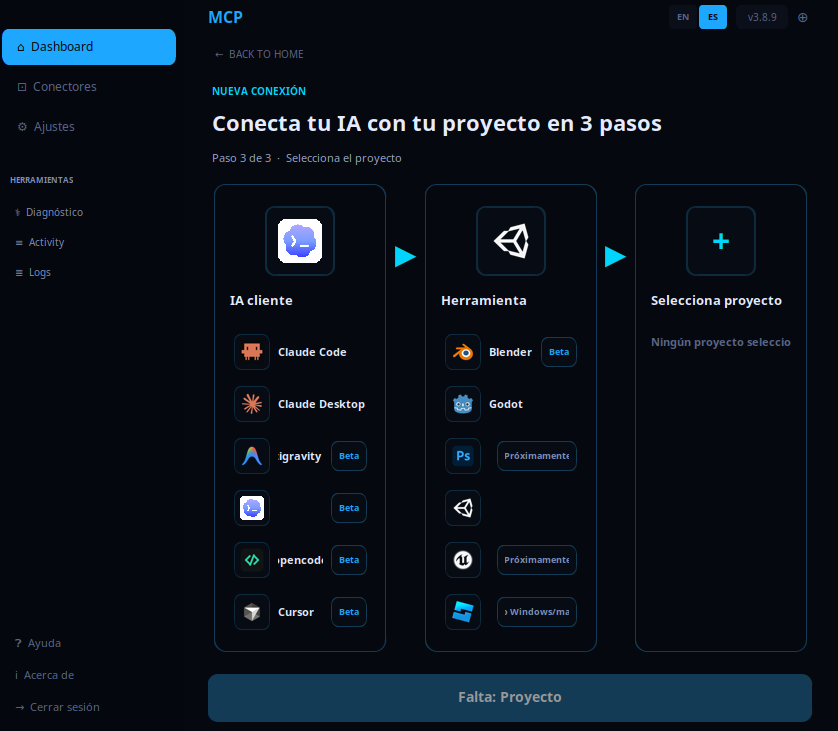
Pick your AI assistant (Claude Desktop, Claude Code, Codex, opencode…), the tool —Godot, Blender, Unity or Roblox Studio— and your project. MCPGo builds the connection for that combination.
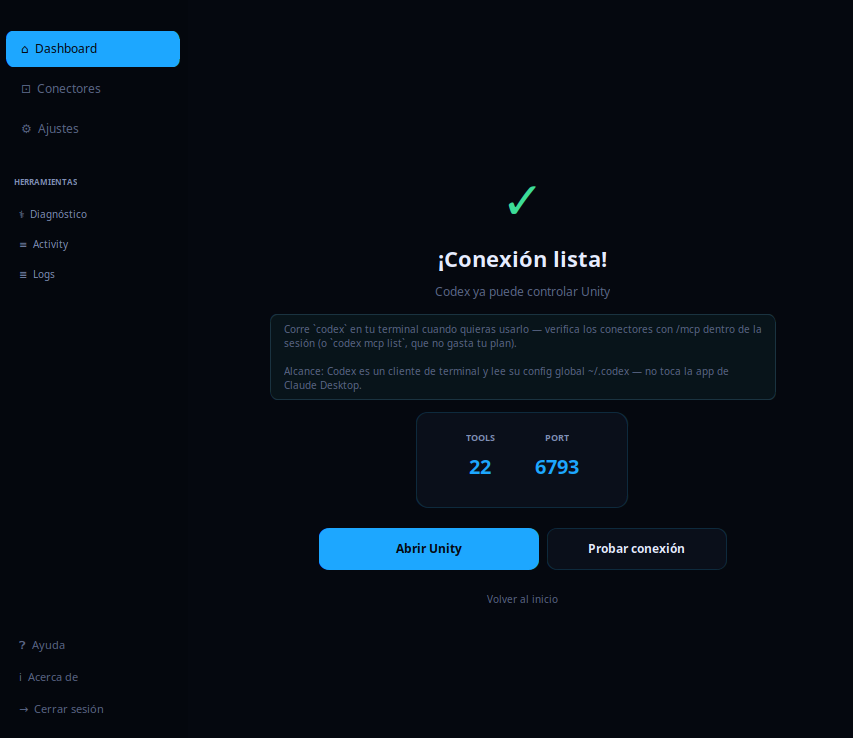
MCPGo starts the bridge and gets everything ready. You test the connection and your assistant can already control the tool.
The interface
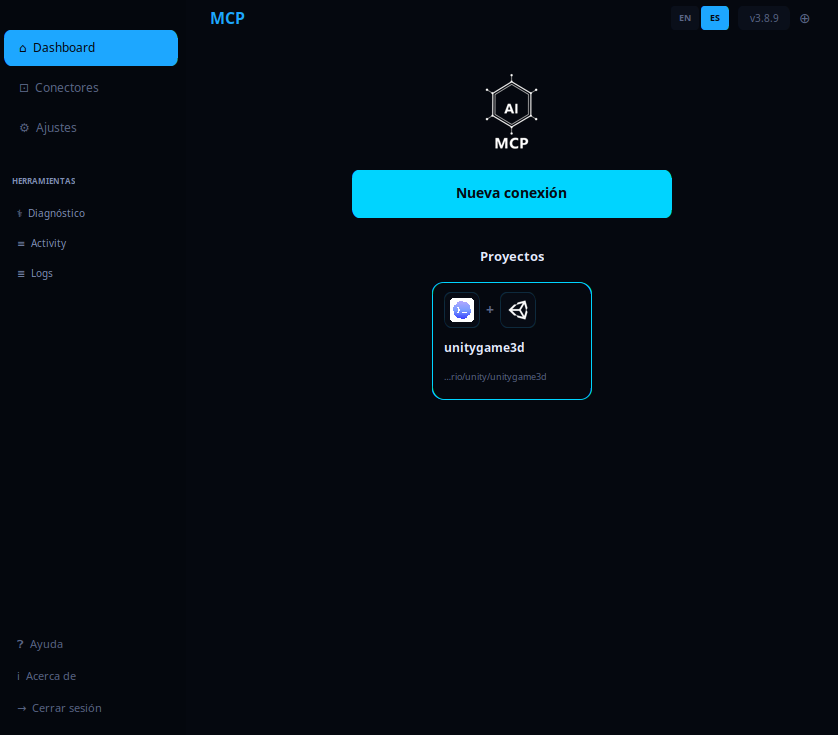
Scenes, nodes, GDScript scripts and running the game — 144 tools.
Via a local bridge, right in your scene — 254 tools.
Unity editor bridge and Studio plugin: build and playtest live (Roblox on Windows/macOS).
Runs on your PC, without sending your work to the cloud.
Claude Desktop, Claude Code, Codex and opencode — each with its own per-AI manual.
Download, install, done — with built-in update notices.
Download
Available for Windows and Linux. Your access lives in your account — download and install on your machines.
MCPGo-Windows-x64-v4.0.1.zip
SHA-256: 588a22e8809f53c1f969e0f2e7281f53e829049a38c2b65088b994c11ccc6bf0
MCPGo-Linux-x64-v4.0.1.tar.gz
SHA-256: 6d5c41b970d8a6b684c63a4e36d08f7c48285a9c248907c0215f80b059ac5603
Terminal installation will be available once it can use the authenticated official download safely.
Downloads are exclusive to accounts with MCPGo access.
Start today with MCPGo.